Designing a Self-use Heart Monitoring System
D2C
0—1 stage
MVP
User Experience
Visual Design
Information design
Goal
Ensure that the users follow instructions correctly and carry out a Holter test end-to-end.
My role
Lead product designer
I led a multidisciplinary design team (UX, visual design, content, and animation), setting design direction, aligning with stakeholders, and ensuring high-quality execution.
Client
Lifesignals
A US based company that specialises in clinical grade wearable and wireless devices that enables the monitoring of heart activities and vital signs.
Context
1
Apply and Connect the Device
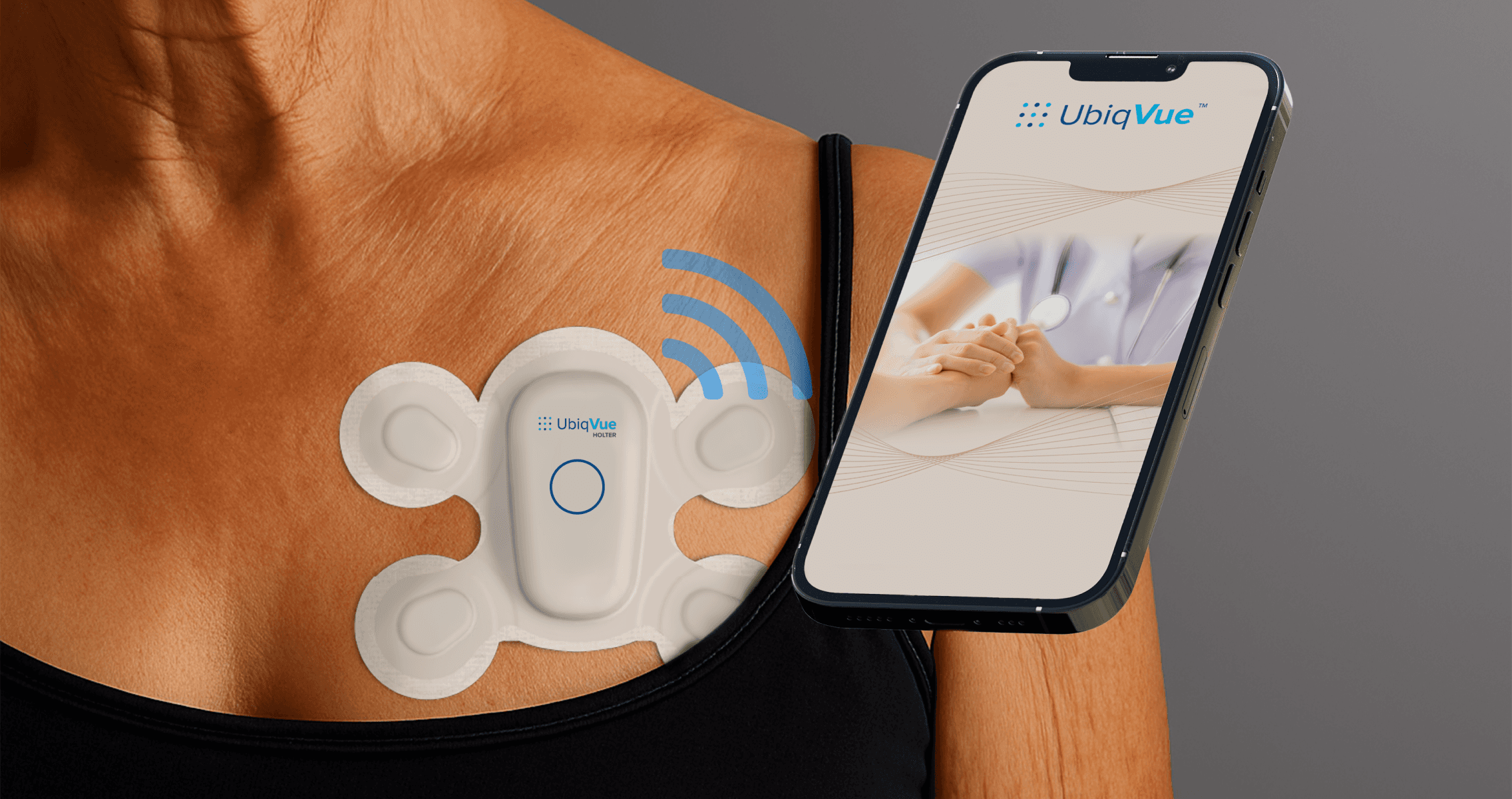
A Biosensor is used to record heart activities. Users have to apply the Biosensor on their chest and connect it to their smart phone which has a companion app to start the procedure.
2
Reluctance to Adopt a New Healthcare Technology
The target user is above 40 years of age and are not tech savvy. Adopting any new technology is difficult for the target group, especially those in the older age cohorts.
3
High Emotional Stress
The users of this product would have undergone a recent heart complication and have been prescribed the Holter test by their doctor. The user is likely to be mentally affected by this situation.
Strategy
1
Users need to feel confident to start the process
2
An error-free experience is crucial for the the success of the product
3
If errors happen, resolution should be an extremely straightforward process.
Solution
Touchpoints Designed
Instructions Manual
Mobile App
Building Confidence
The onboarding experience across the product was designed to not just inform, but also convince users that the experience would be simple and easy.
Ensuring a good first impression
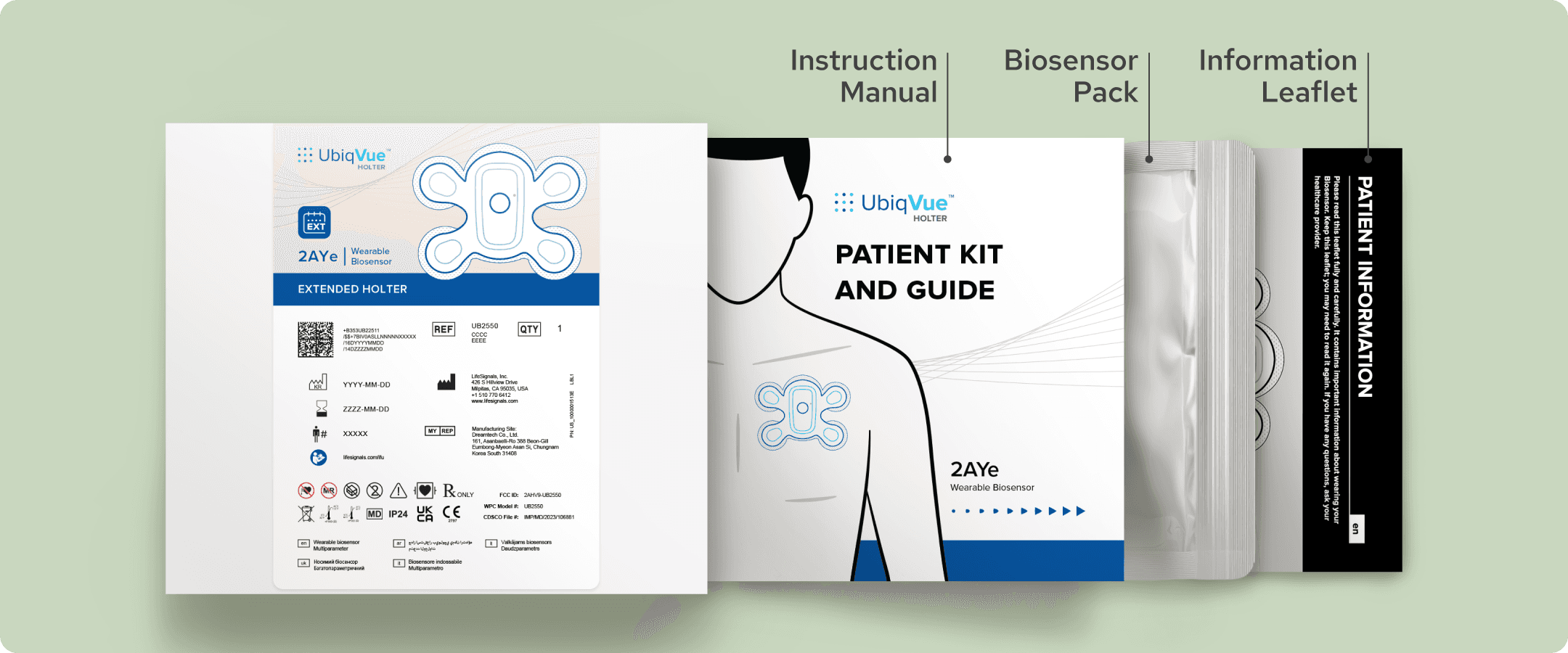
We used the best quality printing and paper. Made the booklet look and feel very approachable and placed it in the box in such a manner that users would intuitively want to check it out.
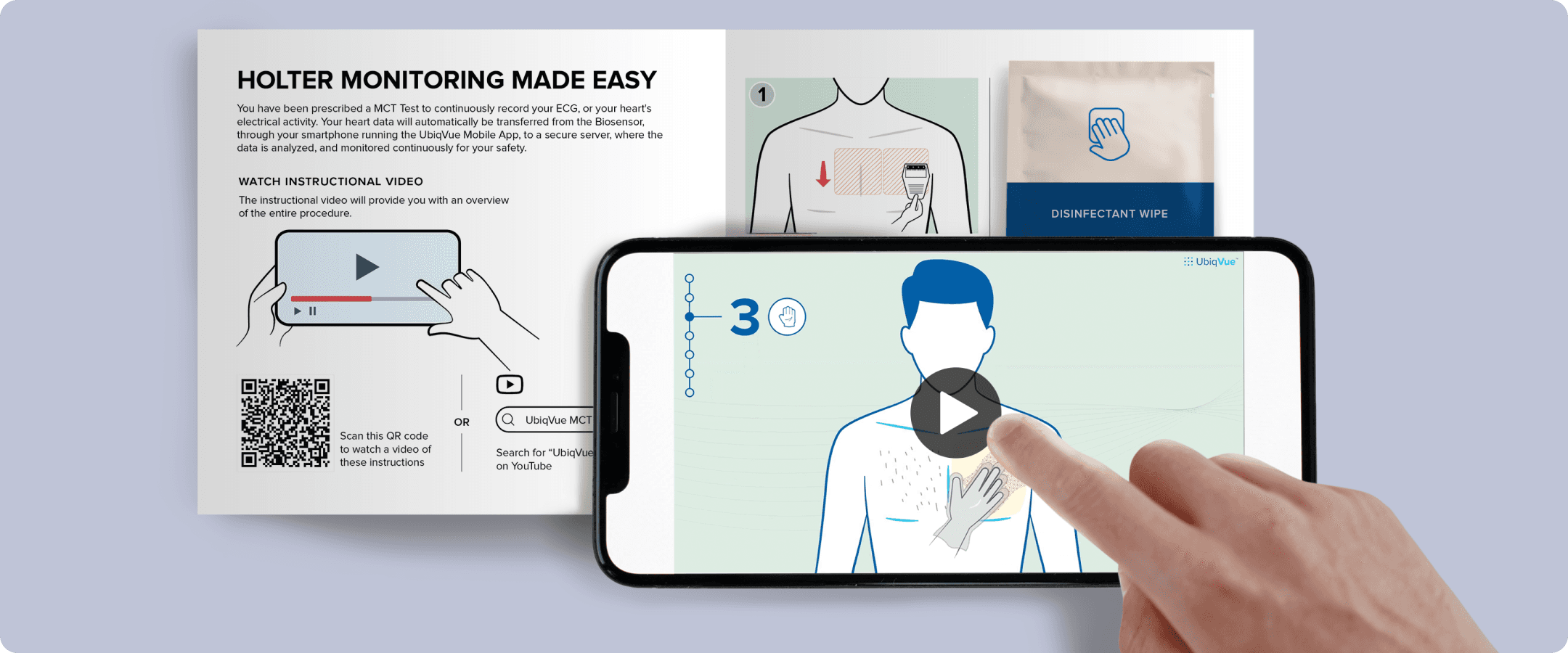
Video overview of the process
Users have the option to watch a video with animations and voiceovers. This proved to be effective for those who preferred someone to give them an overview of the entire process.
A simple app onboarding experience
The app is designed with only the most important features and a simple onboarding experience is designed to help users understand it easily.
Preventing Errors
We understood early on that errors are the least desirable issue in the product. It would render the product and procedure useless and affect the perception people build towards the brand.
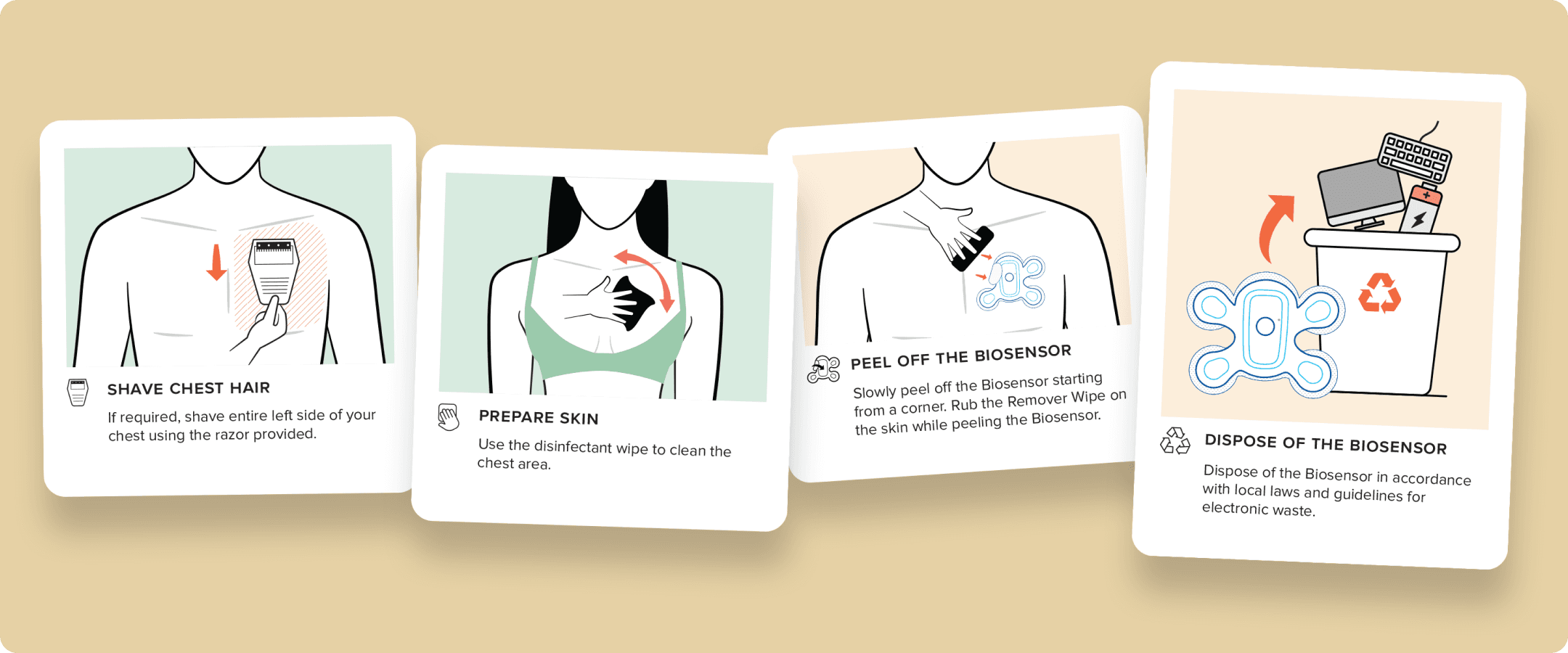
Simple, easy to understand instructions
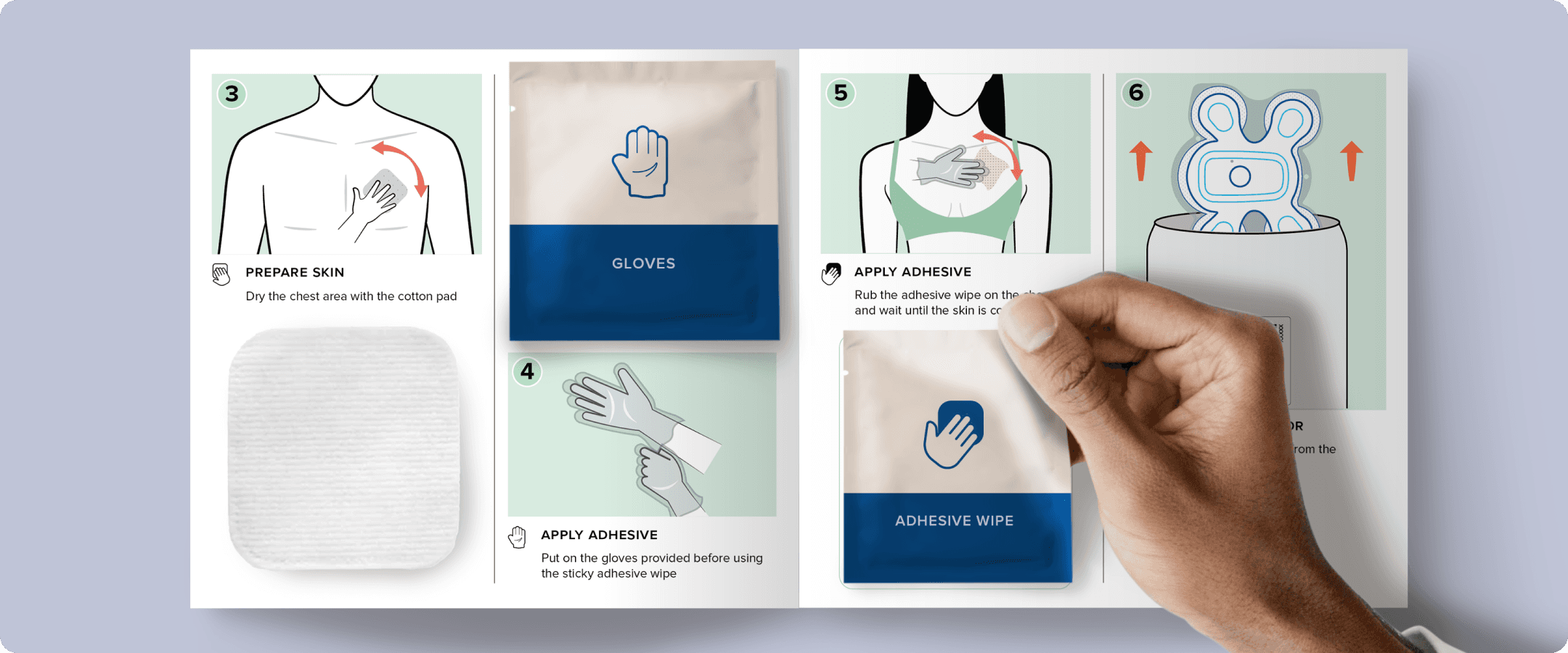
Each part of the instructions were broken down to simple actionable steps. We used an illustration first approach to communicate. This reduces the cognitive load.
Users find what they need intuitively
Every part of the experience was designed in such a way that the users never have to go in search of anything. Some of the instructions require the use of equipments which are placed contextually. No confusion.
Proactive communication to ensure best practices
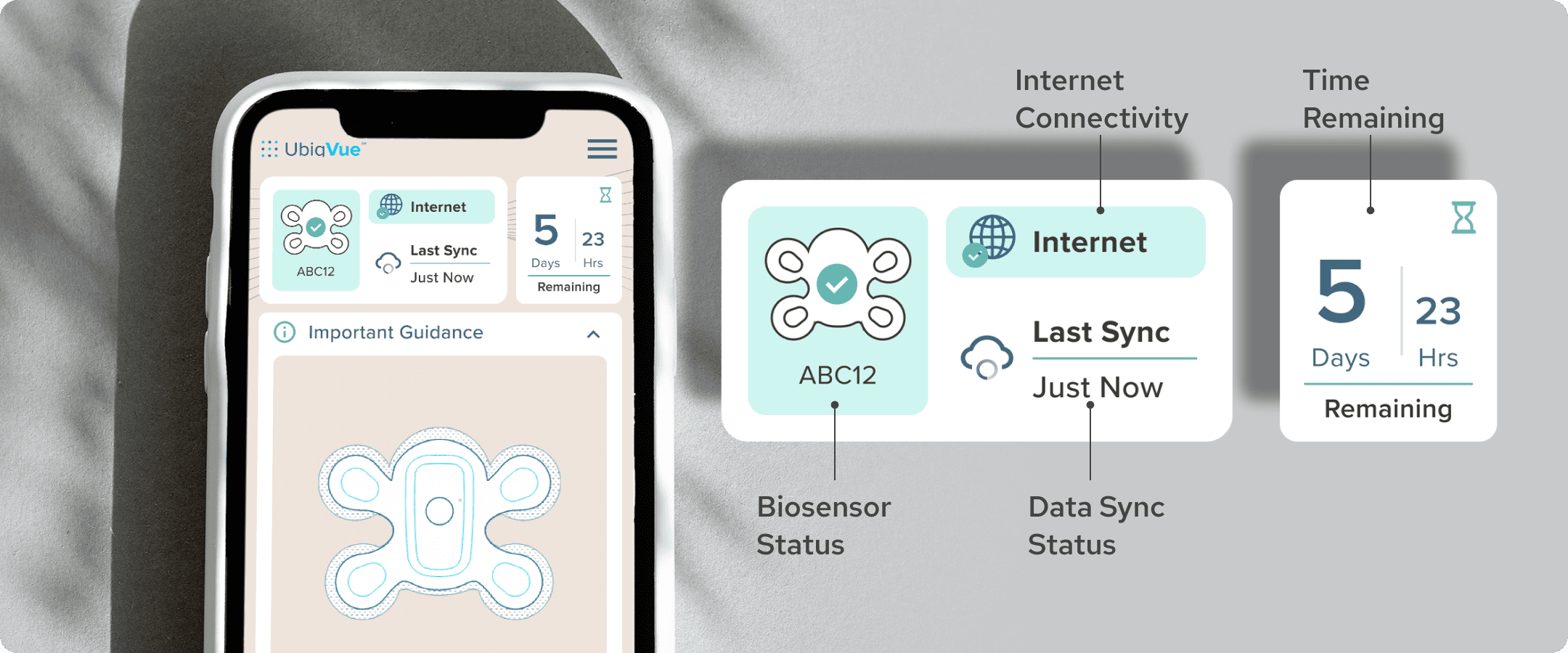
The app would proactively give users tips on how to maintain the biosensor and other best practices during the procedure so that issues don’t occur.

Error Resolution
Errors can still occur even though the system was built to prevent them. An error resolution system was designed to empower users to confidently tackle any issue that may occur during the procedure.
A contextual system
When an error occurs, the system detects it, communicates with the users and provides instructions on how to resolve it efficiently. All the communication happens up front on the home screen. No searching for solutions!
Impact
User testing
We carried out several rounds of user tests to help develop the product. When asked to rate the product experience, this is how they rated it.
8.4/10
Ease of understanding instructions
9.1/10
Usefulness of the video
7.7/10
Confidence to start the procedure
8.1/10
Error resolution feature
Product launch
Good testing results gave us the confidence to launch the product in the US with a launch in the UK imminent. Translated versions are being worked on to support the launch in Canada, European Union, the Middle East